

Native Mac App Local-First JPEG / PNG / MP4 Perpetual License

Create carousels and reels on Mac with the precision your photos deserve.

CM Studio is a native macOS app for building social content from your photos, text, collages, icons, GIFs, stickers and visual effects. Work locally, export cleanly, and own your creative tool with a perpetual license.

Try everything. Buy only when you're ready.
CM Studio is fully usable before purchase: create projects, use every creative feature, save your work, reopen it, and refine it without restriction. A valid license is only required for clean, watermark-free carousel and video exports.

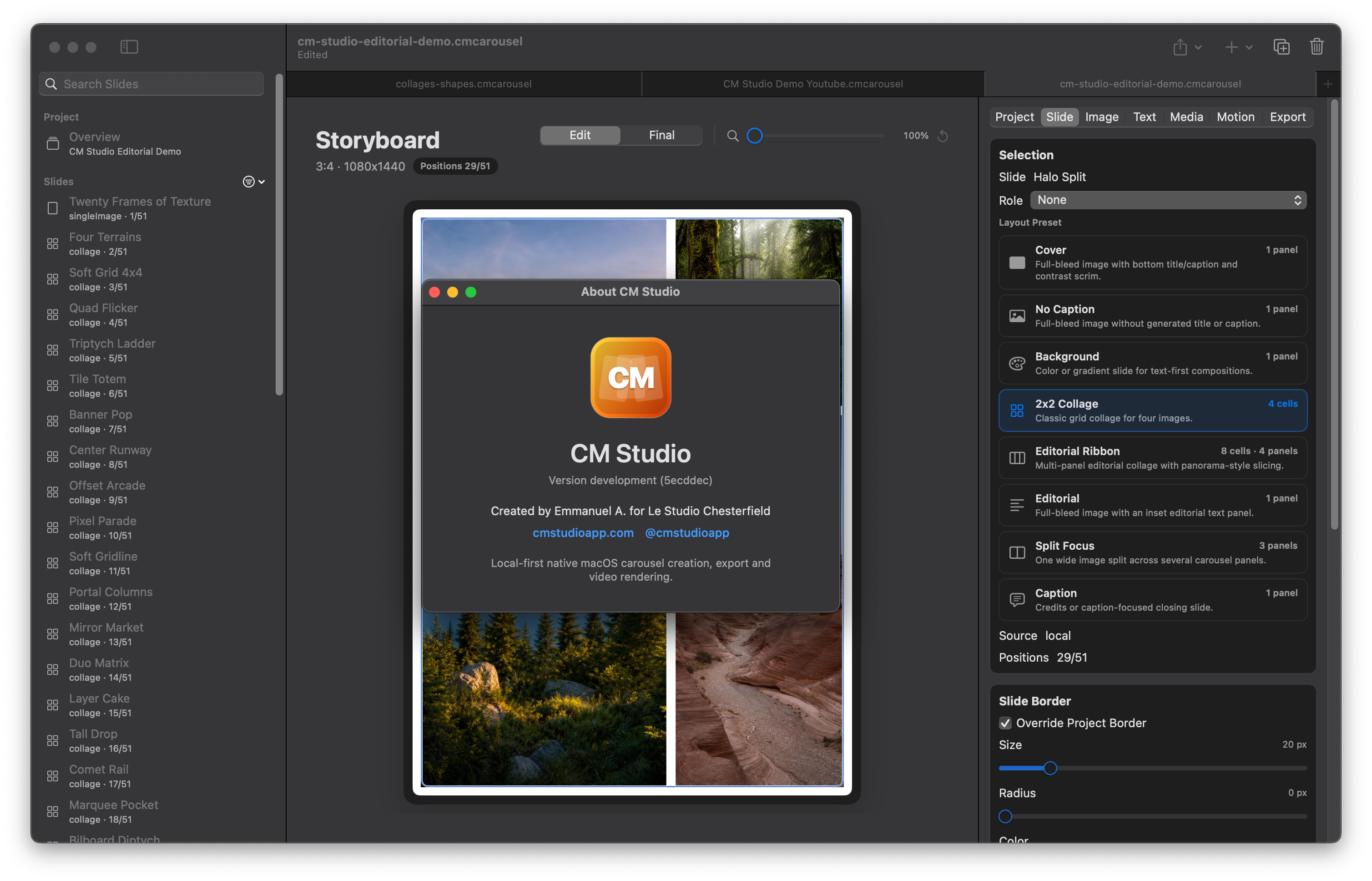
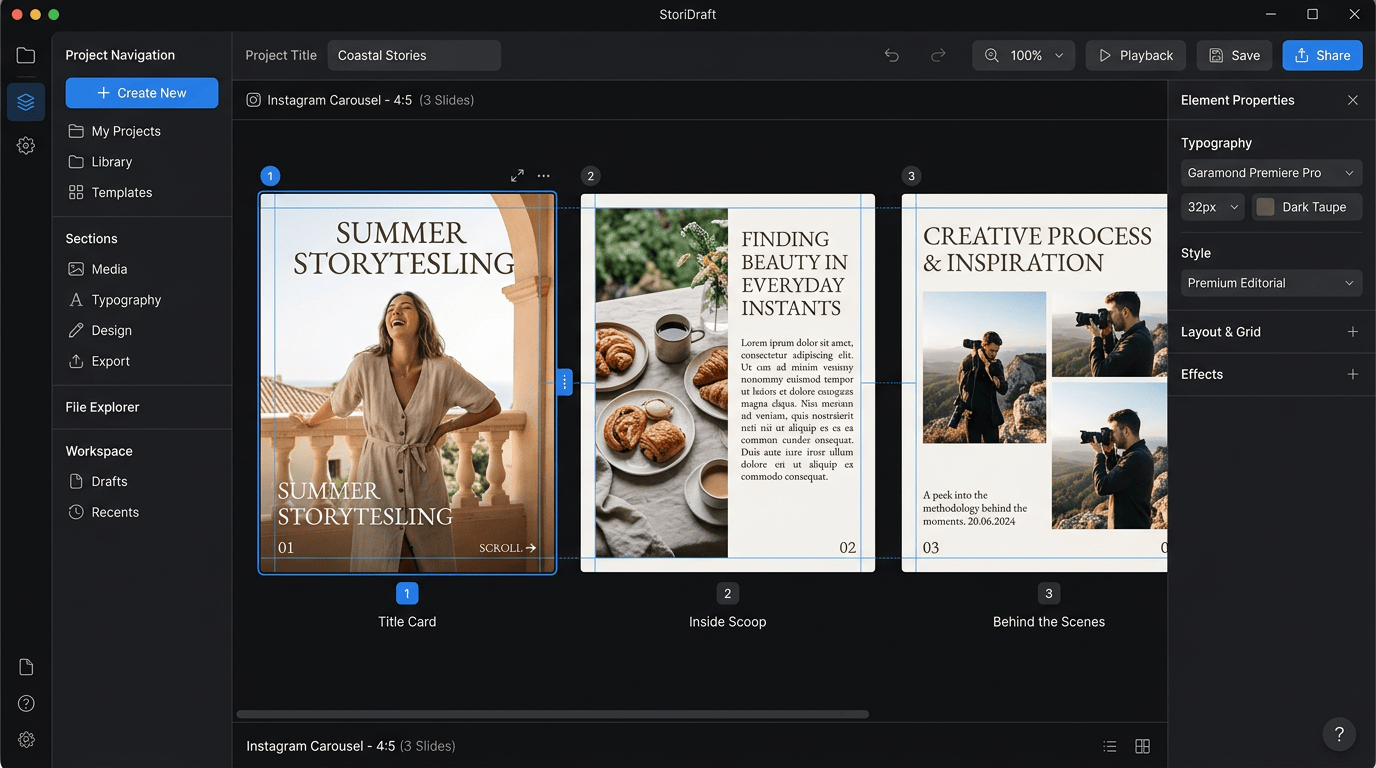
CM Studio Desktop Interface

The Problem

Mobile editors are fine for quick posts. They are painful for serious carousel work.

01

Designing on mobile is slow

Tiny screens make precise crops harder. CM Studio gives you the desktop workspace you need.

02

Zero control over pacing

Carousels are sequences, not isolated slides. Manage the full narrative flow in one view.

03

Subscriptions add up

Monthly costs for basic tools shouldn't be your norm. Own your tool with a one-time purchase.

The Solution

A native Mac workspace for photo-first social content.

Import your photos, build full-bleed slides, adjust crops, and turn single images into rich sequences with Split Focus and editorial collages.

Desktop Native Local-First Workflow

Desktop Control

Work on a real Mac canvas with native document handling, undo/redo, keyboard shortcuts, inspectors, and precise object controls.

Photo-First

Adjust crop, zoom, and focus. Apply per-slide image looks and cinematic film effects to give every sequence a finished look.

Rich Composition

Add text effects, image-filled masks, vector icons, emoji, and GIFs from Unsplash, Pexels, and GIPHY without leaving the app.

Motion Export

Export still carousels or MP4 videos with transitions, timing controls, and optional MP3 audio fades optimized for social media.

Local Workflow

Your files never leave your machine. Projects are local packages, and API keys stay out of project files for full privacy.

Pro Readiness

Use safe-zone guides for Reels and Stories. Preserve attribution metadata and generate publication-ready credits for your captions.

The Full Creative Suite.

Everything you need to turn static images into high-engagement narratives on Mac.

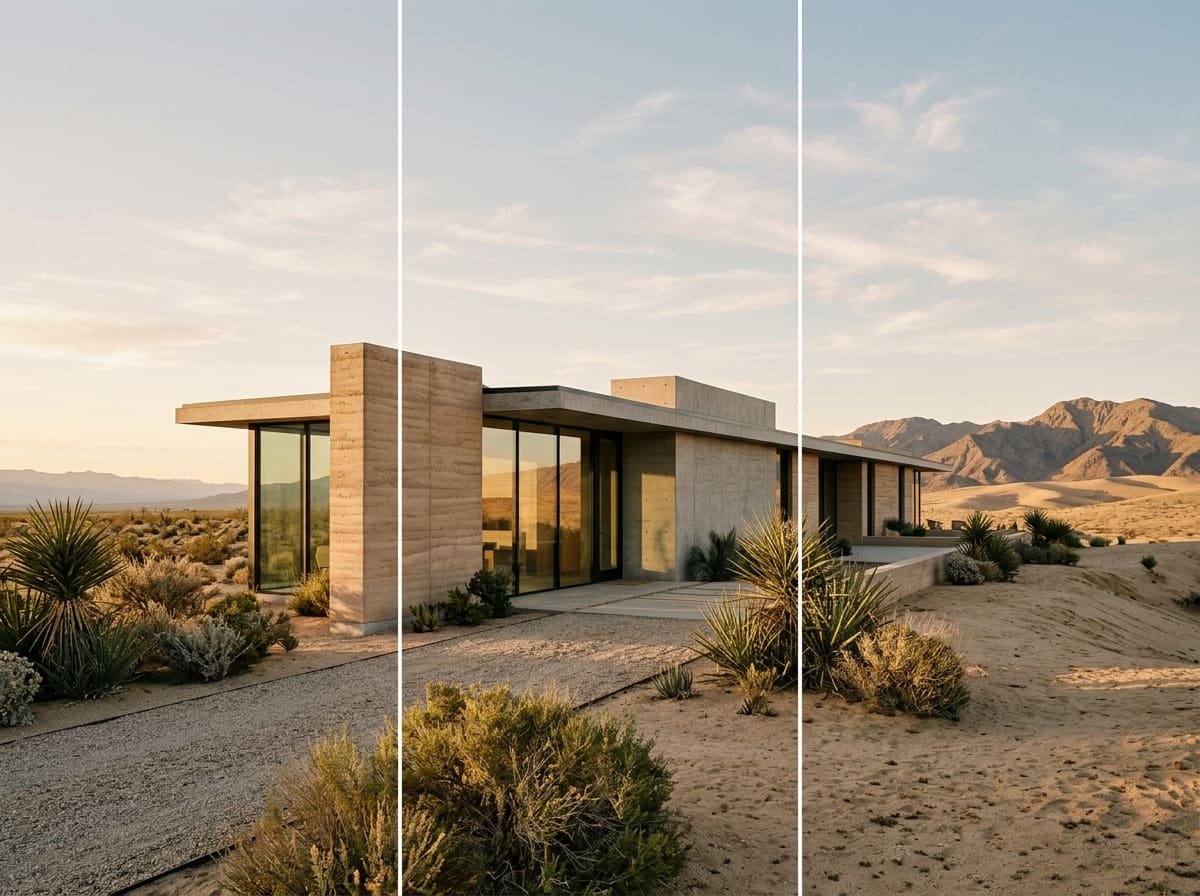
Panorama Split Preview
Core Feature

Split Focus Panoramas

Turn one image into a seamless multi-slide experience. 2 or 3 panel splits with smooth video pan and no visible seams after export. Native desktop precision for perfect alignment.

Motion Engine

Native H.264 MP4 Export

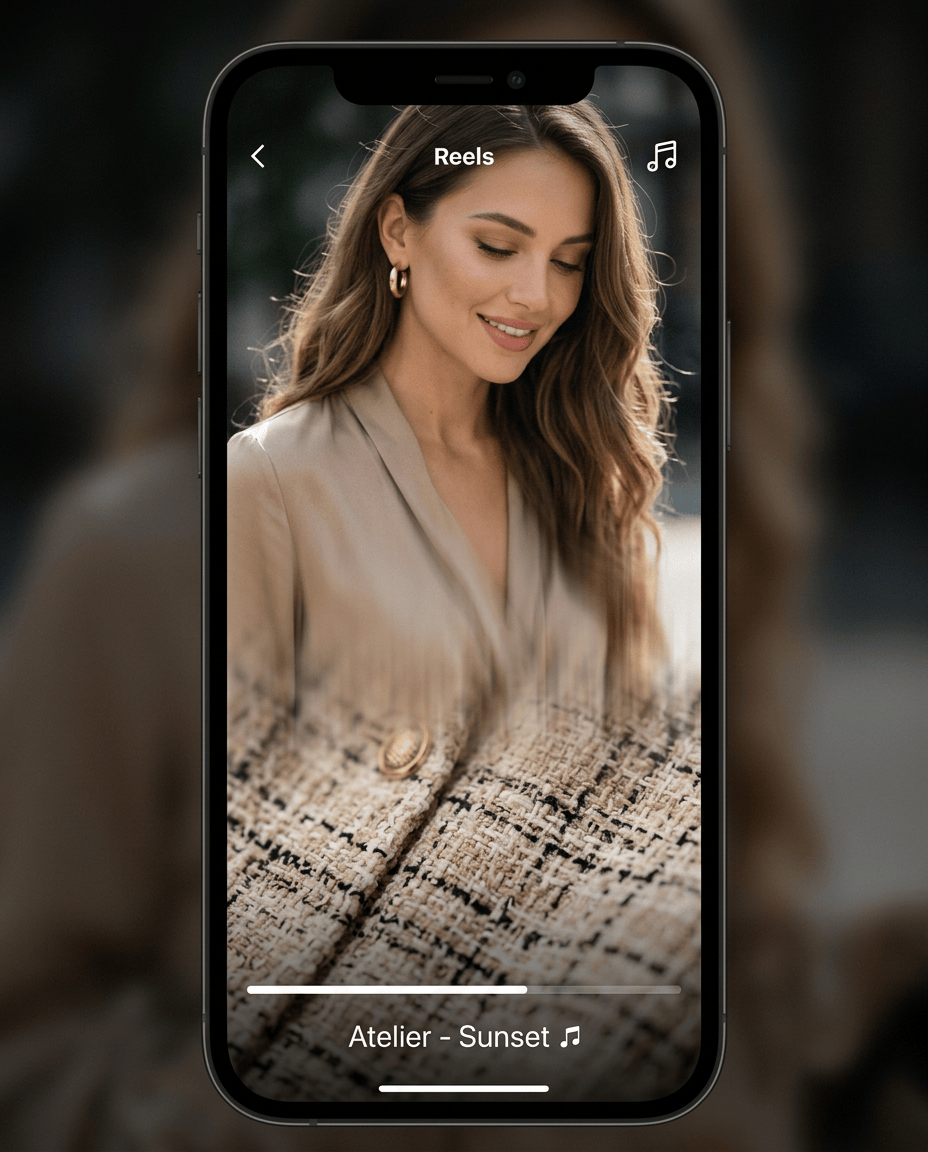
Turn your carousel into a cinematic Reel or Story. Export MP4 videos with perfectly timed transitions, panorama movement, and optional MP3 audio fades optimized for 30fps social playback.

Audio Fades
30fps Optimized
Video Export Motion Preview
0:00 Exporting Reel 0:15
Stock 1
Stock 2
Assets & Credits

Integrated Stock & GIPHY

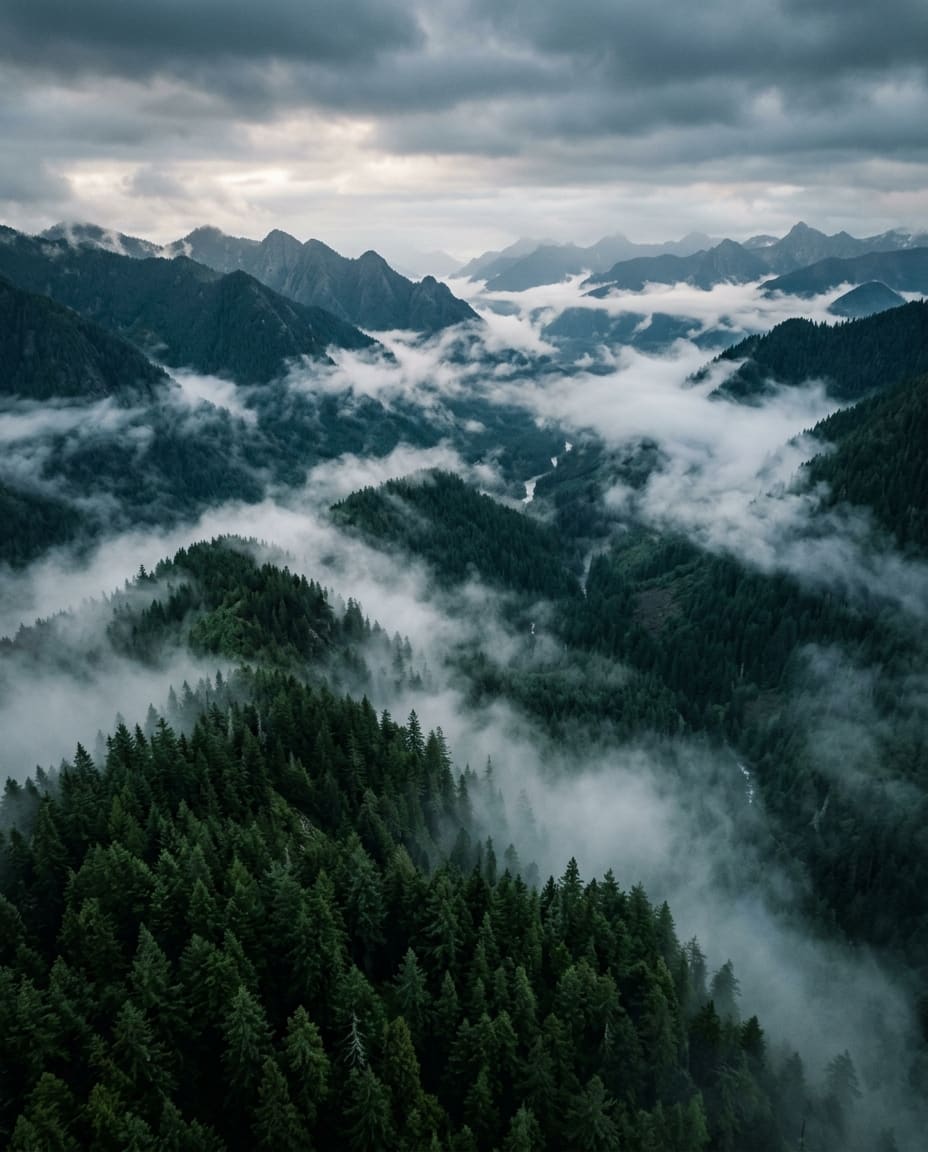
Access millions of high-quality images from Unsplash, Pexels, and Pixabay, plus GIFs and stickers from GIPHY. CM Studio preserves attribution metadata for hassle-free caption credits.

Composition

  • Editorial Ribbon
  • Classic Collages
  • Safe-Zone Guides
  • Image-filled Shapes
  • 11,000+ Icons

Creative Effects

  • Cinematic Grain
  • Atelier Look
  • 19 Text Effects
  • Per-cell Grading
  • Film Looks

Ready for Any Platform

  • Instagram Feed
  • Stories / Reels
  • TikTok
  • YouTube Shorts
  • YouTube HD

Privacy & Safety

  • Local project storage
  • No cloud dependency
  • Asset management
  • API Key Security
  • Undo/Redo History

From photos to published content

A professional workflow designed for speed and creative precision.

01.

Choose your format

Start with Instagram Portrait, Story / Reel, YouTube Short, TikTok, Square, Landscape or a custom setup.

02.

Import your media

Use your own photos, bring in stock images from Unsplash, Pexels or Pixabay, or add GIFs and stickers from GIPHY.

03.

Build the sequence

Create slides, duplicate layouts, arrange the story, split panoramas and design editorial collages.

04.

Add visual structure

Place text, shapes, icons, emoji, image masks, overlays and effects with precise desktop controls.

05.

Check before publishing

Review safe zones, panel count, MP4 duration, estimated frames, assets and credits in the Overview dashboard.

06.

Export

Export JPEG, PNG or MP4 files ready for your publishing workflow. High-quality output with zero compression artifacts.

Designed for every screen.

CM Studio isn't just for Instagram. It's a complete studio for vertical and horizontal social content, optimized for the platforms where your audience lives.

Vertical (9:16)

  • Instagram Reels & Stories
  • TikTok
  • YouTube Shorts

Feed & HD

  • Instagram Portrait (4:5)
  • Square (1:1)
  • YouTube HD (16:9)
Format 1
Reel
Format 2
Feed
MP4 Video Export
JPEG High Quality
PNG Lossless
30fps Pro Motion

The difference.

Your project stays yours.

CM Studio projects are local .cmcarousel packages. Imported images, stock selections and GIPHY assets are stored with the project. No cloud uploads, no privacy compromises.

"Canva helps you design slides. CM Studio helps you build a story."

Why CM Studio?

  • Local-First Workflow Blazing speed and total privacy. No cloud dependency.
  • Built for Real Creators Sequence logic, timing control, and professional MP4 output.
  • Perpetual License Own your creative tool. No monthly subscriptions.

A perpetual license, not another monthly subscription.

CM Studio is designed for creators who prefer to own their tools. Buy a perpetual license for covered versions and keep using the app in your creative workflow.

Pro License

Perpetual
  • One-time purchase
  • One year of updates included
  • JPEG, PNG & MP4 clean exports
  • Full local-first features
Purchase License ($35)

You can try the app before purchase. Projects can be saved, and your work is not lost. Clean exports require a valid license; unlicensed exports are protected with demo output.

Trusted by visual storytellers

Photographers

Storytelling portfolios

Creators

High-growth content

Brands

Product storytelling

Agencies

Client-ready exports

The Origin

Born from Studio Chesterfield

CM Studio was born from a professional need at Studio Chesterfield. As photographers and designers, we felt trapped by the limitations of mobile-first social editors.

Designing narrative sequences requires precision, perspective, and comfort—things that a small screen simply cannot offer. We needed a way to see the "flow" of a story as a whole, with the control of a professional desktop environment.

The result is a local-first application that respects your privacy and your creative process, specifically designed for creators who treat social media as a high-end editorial canvas.

E

Emmanuel A.

Founder, Le Studio Chesterfield
Founder Portrait
"Your photos deserve more."

Frequently Asked Questions

Everything you need to know about CM Studio.

Does CM Studio replace Lightroom or Photoshop?

No. CM Studio is not a professional photo retouching app. It is a composition and export studio for turning images into carousels, reels and social content.

Can I use my own photos?

Yes. CM Studio was designed around that workflow. Import your images, place them into slides, collages, or Split Focus sequences, then export the finished content.

Does CM Studio work offline?

The core project workflow is local. Stock image search, GIPHY and online license activation require network access, but projects and imported media are managed locally.

What can I export?

CM Studio exports JPEG, PNG and MP4 files. Multi-panel slides are exported with predictable numbered filenames ready for manual or tool-assisted posting.

Is there a Windows version?

No. CM Studio is currently Mac-only. The current target is macOS 15 or later.

Is the app available in French?

The app's base language is currently English. French localization is planned depending on distribution, feedback from users and commercial success.

Background

Start creating better carousels and reels on Mac.

Download CM Studio and build your next visual sequence with a desktop workflow designed for photographers, creators and marketers.

System Requirements: macOS 15 or later. There is no Windows version at the moment.